I am one of those people who need to take down notes for everything — be it birthdays, grocery lists, return a book to a friend or a recipe I learnt from mom. That’s how I remember things! Having said that, I am a huge fan of Evernote and I take lots of notes right there. But, I just feel that when it comes to the mobile design, they’re missing out on a very important aspect.
About Evernote
(For those who haven’t tried Evernote)
Evernote is a note-taking application that allows users to create notebooks, take notes (text or image) within each notebook and share individual notes/ entire notebook of usability testing.
Objective of the usability test
To identify the challenges a user faces in creating a note in a new notebook and how an upfront option of creating a new notebook works opposite to that.
Existing Flow in Evernote :
For those who do not use Evernote quite regularly, here’s the existing process of “creating a note in a new notebook” in Evernote -
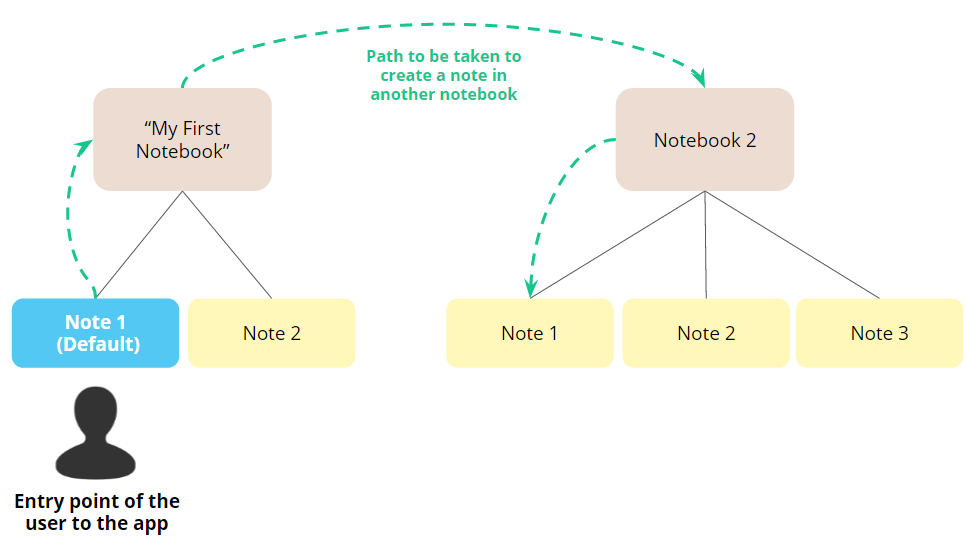
When the application is opened, new users are, by default, taken to a screen with a blank note that has already been placed in an existing Notebook called “My First Notebook.”
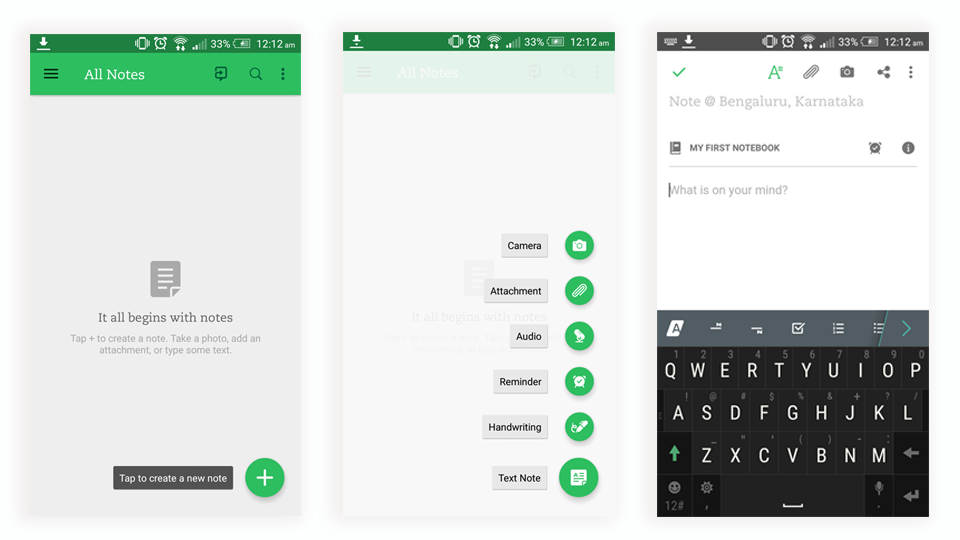
Now, to create a new notebook (/new folder) this is what a user has to do ideally -
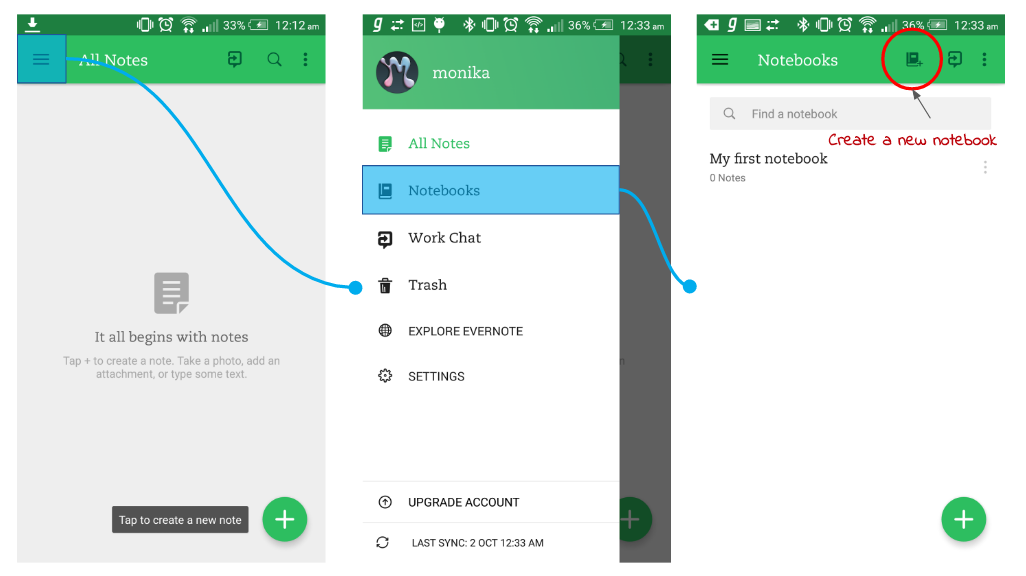
My hypothesis about the problem — Now, here I believe that the bigger problem is not that the “Notebooks” option is hidden behind a hamburger. The bigger problem I feel is the visual hierarchy of the interface. It is difficult for the user to understand that he/she is in a default notebook (/folder) “My First Notebook” and he/she has to exit this notepad to create a new one.
I go on to test my hypothesis.
User Research
User persona
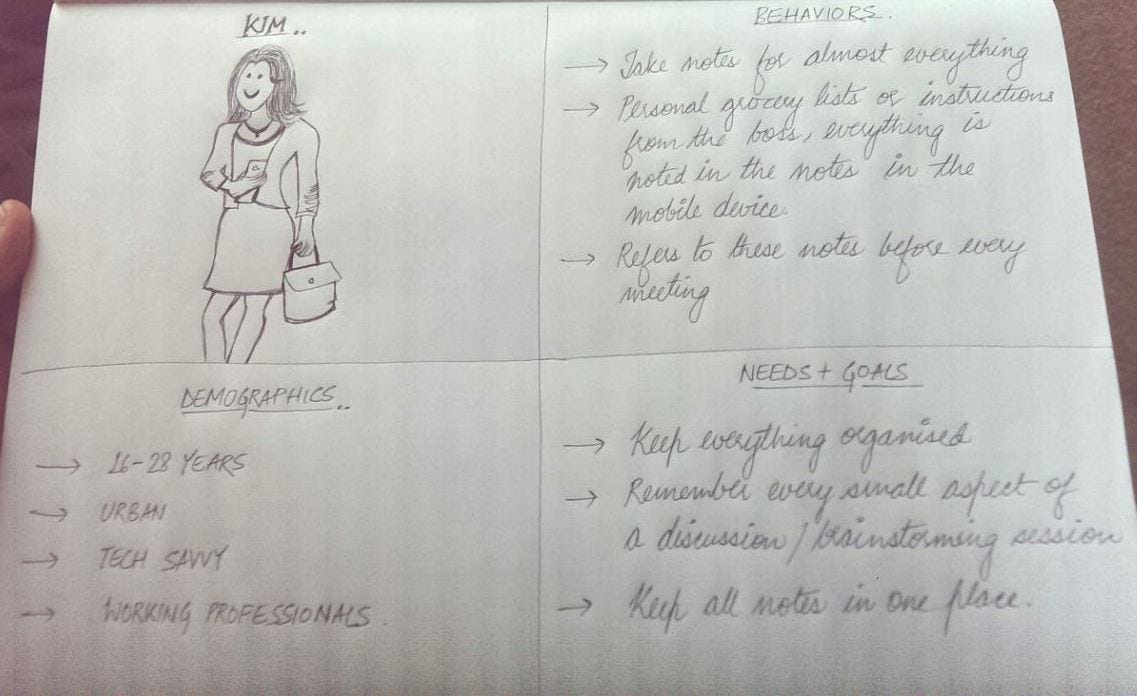
Prior to conducting usability tests, I developed a user testing persona to better understand the target users of Evernote’s android app. This process helped me get into the mindset of the users, thinking in terms of their contexts, needs, and goals.
So meet Kim!
Users in the test
A total of 12 tech savvy participants with experience on other note taking apps were tested. Participants were selected through sampling via in-person requests and referrals.
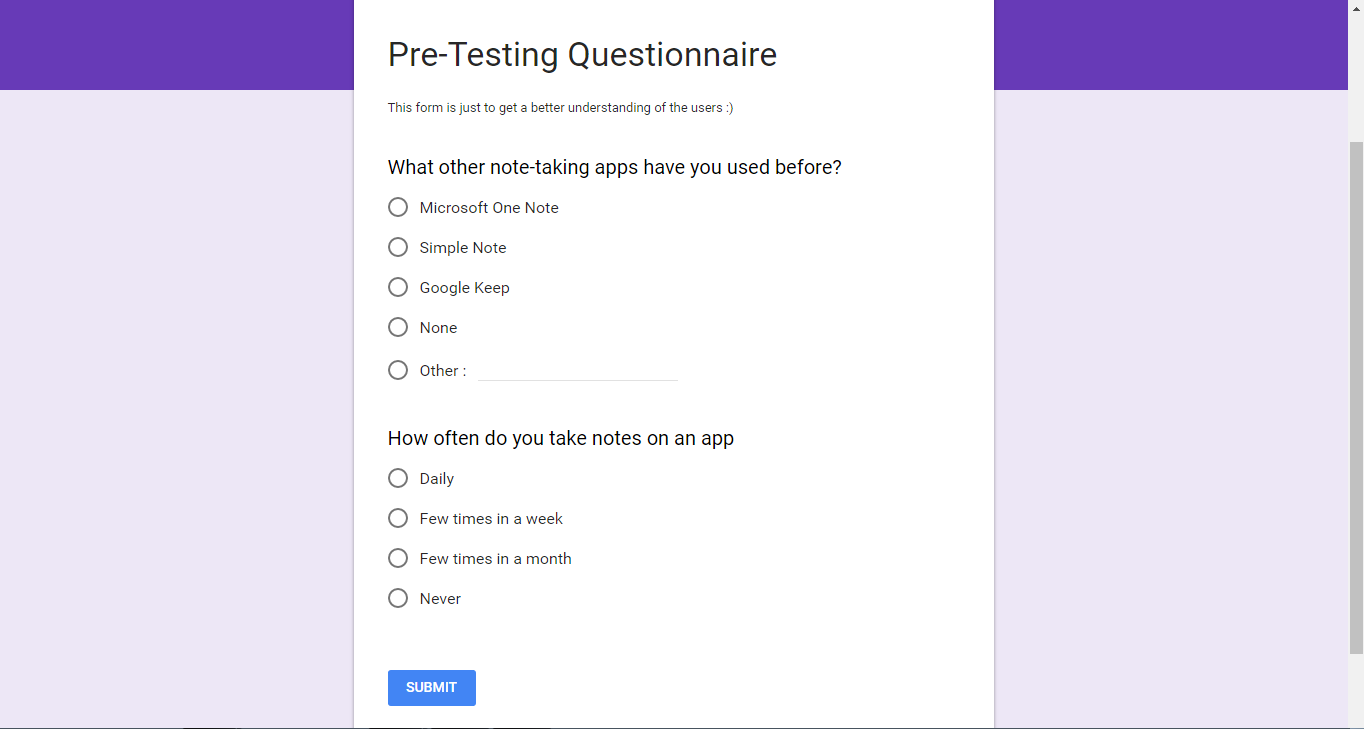
I got this Google questionnaire filled just to understand the need of the app and the competency of the users in note taking apps.

No comments:
Post a Comment