The 2 best user testing, user research and usability testing tools to help you along with your prototyping process.
Observing how real users use the system you are designing and will eventually develop is an integral step in ensuring that what you’re bringing to market fits its intended purpose. What’s more, user testing at the prototyping stage of the software development life cycle can help to avoid problems or bottle-necks in the software development process. But with so many user testing, user research and usability testing tools out there, it can sometimes be a bit overwhelming. Read on for a list of the best and brightest tools currently available to you in your prototyping process. Bonus: the majority are integrated with your tool!
USERZOOM
UserZoom is a flexible and mature remote usability testing and UX research platform that includes a multitude of advanced user testing and research features and tools, including remote unmoderated testing on PCs and mobile devices.
PROs
- As a leader in usability testing, UserZoom provides you with quantative as well as qualitive data, great for uncovering trends as well as synthesizing and analyzing post test data.
- It offers the standard screen visuals and recordings and audio feedback, but also includes a video feature that allows you to observe your users’ facial expressions via webcam.
- This is a good choice of tools for those of you who are out to test multiple aspects of your product but are bound by time constraints. UserZoom also provides its customers with excellent quality controls to weed out users who are misusing tests etc.
- The support system at UserZoom is impressive, comprising of researchers who can help with coding and also provide research support.
- Can be used before your website/app goes live.
- Integrated with your Justinmind prototyping tool! You can test your prototypes directly using this tool.
CONs
- UserZoom is comparatively pricey, and the webcam feature is available exclusively to higher paid plans.
- Steep learning curve.
Cost: Pricing with UserZoom varies from customer to customer, based on specific needs. Annual licenses include training and support hours to ensure customer success and start at $25,000/yr. More info on this here.
USERTESTING
Having been around since 2008, user experience research platform user testing is one of the more well-known tools in this list.
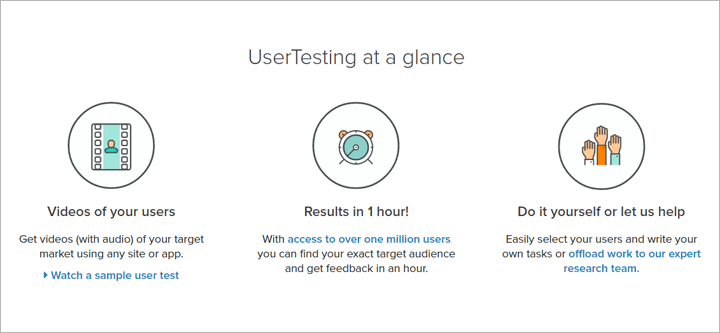
Image Credit: UserTesting
PROs
- Offering longitudinal studies, Usability testing is unique in that it allows the user to select the user tester demographic as well as the specific portions of your website that you actually want to test.
- The design of the tests makes it easy for users to follow, as well as jump to specific problem areas in the recording of the test.
- Can be used before your website/app goes live.
- The tool offers pre-screened and internally sourced participants, but practitioners can also invite their own testers to use the tool.
- PRO plans include dedicated project management teams for support.
CONs
- UserTesting offers compensation to testers, therefore it is important to provide non-biased tasks so ensure the quality of test results.
Cost: User research for individuals: $99 per video (Intro offer: $49 per video for your first 10 videos). PRO Subscription plans designed for teams are also offered, and pricing depends on how the plan is customized.

No comments:
Post a Comment